









































Drag and Drop CMS for React
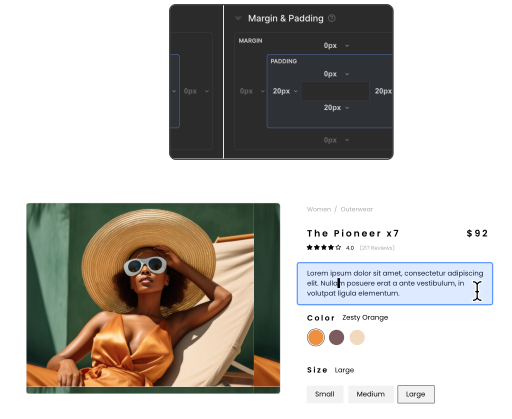
Build fast, SEO-friendly React apps with Builder's headless CMS. Our drag-and-drop interface works with React components, letting you create and deploy scalable sites quickly—without the configuration headaches.








Build fast, SEO-friendly React apps with Builder's headless CMS. Our drag-and-drop interface works with React components, letting you create and deploy scalable sites quickly—without the configuration headaches.
WHY
Builder's headless CMS decouples the frontend from the content backend, giving React developers control over custom UI creation. The API-based content delivery works across platforms, while React's component-based approach allows for rapid visual iteration.




Get more done with less effort
Enable everyone to get experiences to market. Let anyone drag and drop to compose experiences with your React components.

Scale content efficiently. Create flexible data models for content that needs to scale across experiences or channels.
Store and manage optimized assets. Upload, optimize, organize, and search for images and videos.
Auto-generate content and sections. Use AI to generate content or entire visual sections with chat prompts.

Jump into our setup docs or code examples to see the SDK in action. Our React SDK connects your apps to Builder's content API, speeding up development with our CMS infrastructure.
npm install @builder.io/react

Here's an example of code that uses Builder for a component-driven page.

builder.init()
Each project you build in Builder has a Public API key that you can use to request your Builder content. Pass your key here to tell Builder where to look.
builder.get()
Fetches your content from Builder as JSON. You can add parameters and queries to get the right result.
<BuilderComponent/>
Pass the JSON you got from builder.get() to render a Builder page or section.
Builder.registerComponent()
Register any code component in your app to Builder. Then, it can be used for drag-and-drop page building.
Utilize Builder however you need with powerful server-side and static optimization tools for better web development.


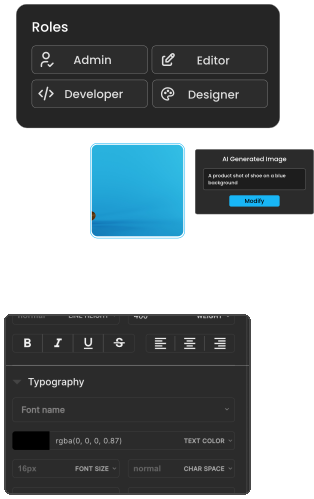
Roles and permissions
Determine who can input content, who can use your approved design system workflow, and who can create fully bespoke experiences.

Localization
Deliver highly personalized and localized experiences at scale.

Environments
Create pre-production environments to test updates and functionality

Performance
Build blazing fast experiences with advanced optimization, content delivery at the edge, and more.
Builder's Visual Copilot converts Figma designs to responsive React code using AI. This automated toolchain generates clean, production-ready components from design files. Read more.




React's component model, paired with a headless CMS, enables flexible, data-driven web apps with decoupled content management.
Launching Projects Faster With
Design to Code AI Automation
A pragmatic guide for engineering leaders and development teams
Read the guide
